
Quick Start: Add Assets to Blender

Quick Start: Add Assets to Blender
All assets produced by VFX9 can be installed using this method. The following example uses xWord Suit.

1. After downloading, extract the folder.
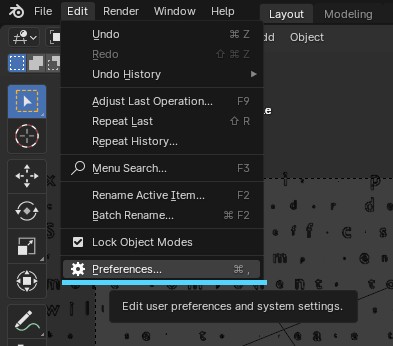
2. Open the Edit menu and click Preferences.
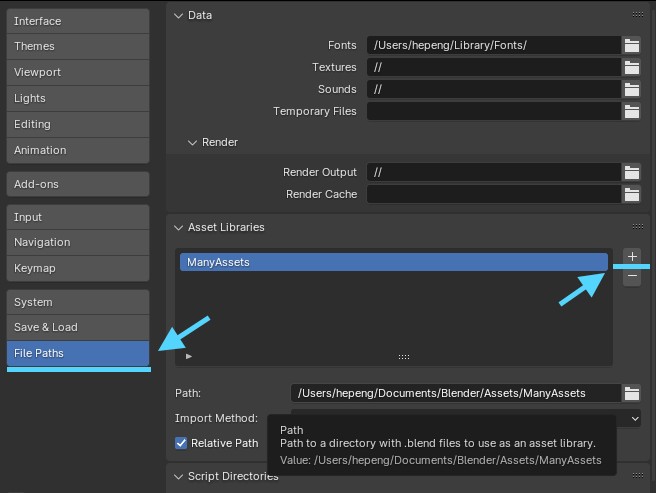
3.Click on File Paths on the left, then click the "+" for Asset Libraries.
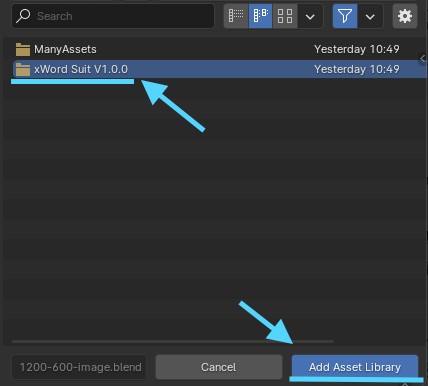
4. Select the folder you just extracted and click Add Asset Library.
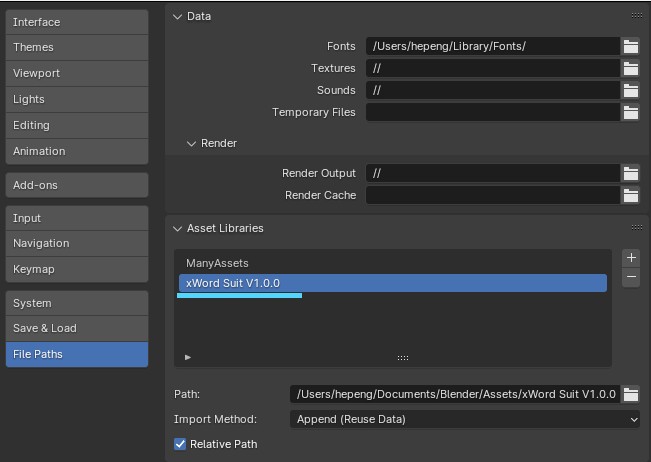
5. Confirm that it has been added to Asset Libraries
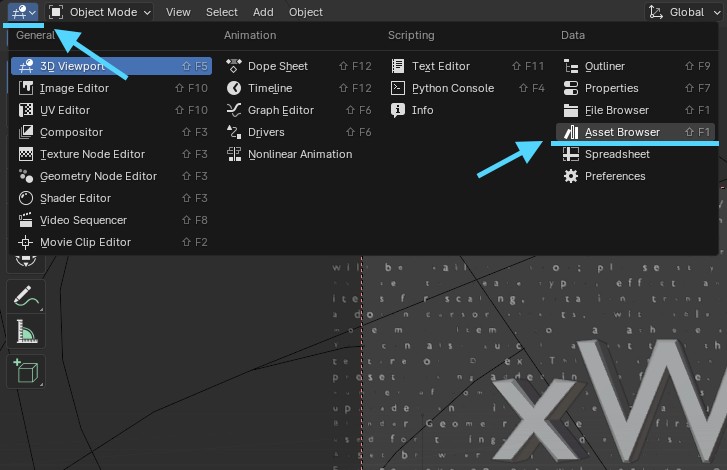
6、Open Editor Type and select Asset Browser

7.Simply select the asset you just imported to browse and drag and drop it with a single click to use your assets.
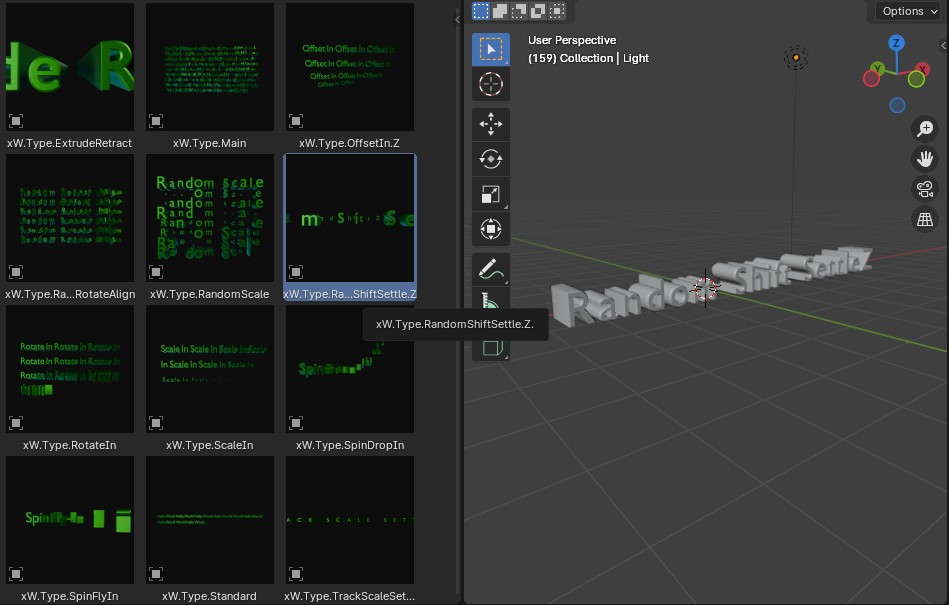
8、What it looks like after being dragged into the scene